Choosing a Tablet for Handwriting and Drawing in 2026
Choosing a Tablet for Handwriting and Drawing in 2026 WERAONE / EDITORIAL COMPARISON • DRAFT Choosing a Tablet for Handwriting and Drawing in 2026 This evidence-led guide compares specific hardware generations…
Choosing a Tablet for Handwriting and Drawing in 2026

This evidence-led guide compares specific hardware generations as of 23 October 2026. It does not claim first-hand tests, verified live prices or universal regional availability.
Pens are ecosystems
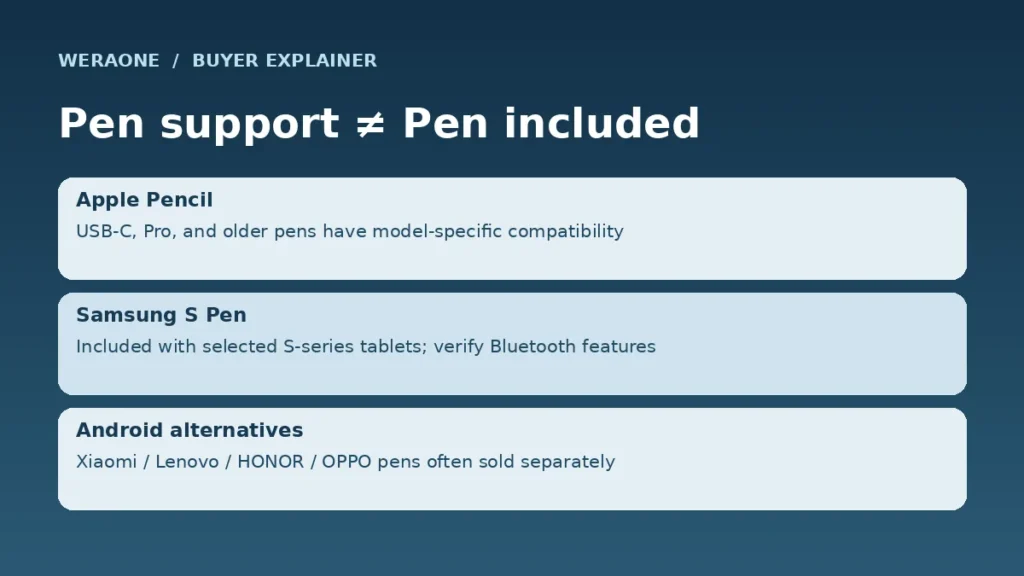
Apple Pencil Pro works with compatible iPad Air and Pro models, not every iPad; the base A16 iPad has a different Pencil list. Samsung bundles an S Pen with selected S-series and FE tablets. Several Android rivals require a separate active pen.
Surface makes a difference
An OLED display is attractive for finished artwork and high contrast, while matte or PaperMatte finishes reduce reflected room light. A matte surface is not by itself proof of better stylus tracking or color accuracy. Do not buy without checking the exact pen model.
Apps before silicon
Procreate and other iPad-specific workflows may matter more than a faster Android SoC; GoPaint is central to some Huawei cases; Samsung Notes and cross-device sharing appeal to Samsung users. Export formats and school software are essential.
Practical test before buying
Check palm rejection, latency claims versus independent testing, replacement nibs, local pen prices, keyboard clearance and whether the application supports pressure, tilt and your required file output.
Model pages and sources
Manufacturer information for the referenced tablet families: Apple documentation, Samsung documentation, HUAWEI documentation. Read the listed country configurations before ordering.