Best Student Laptops in 2026: Choose for Your Degree, Not the Sticker
Editorial guide · researched through 2026-10-23. No first-hand testing or live prices are claimed. Manufacturer specifications and independent research are distinguished below. Regional, software and…
Editorial guide · researched through 2026-10-23. No first-hand testing or live prices are claimed. Manufacturer specifications and independent research are distinguished below. Regional, software and configuration differences may apply.
The best student laptop is the one that runs your course software without charging anxiety or expensive accessories. A lightweight MacBook may suit literature and design students; a Windows notebook may be necessary for a specific engineering application. Neither is a universal winner. Start with your institution's supported operating systems, examination software and required applications. Then buy enough memory and storage for the expected life of the machine. This guide uses the 2025 MacBook Air M4 as a verified reference point, not as evidence that every configuration or newer generation is identical.

Quick decision table
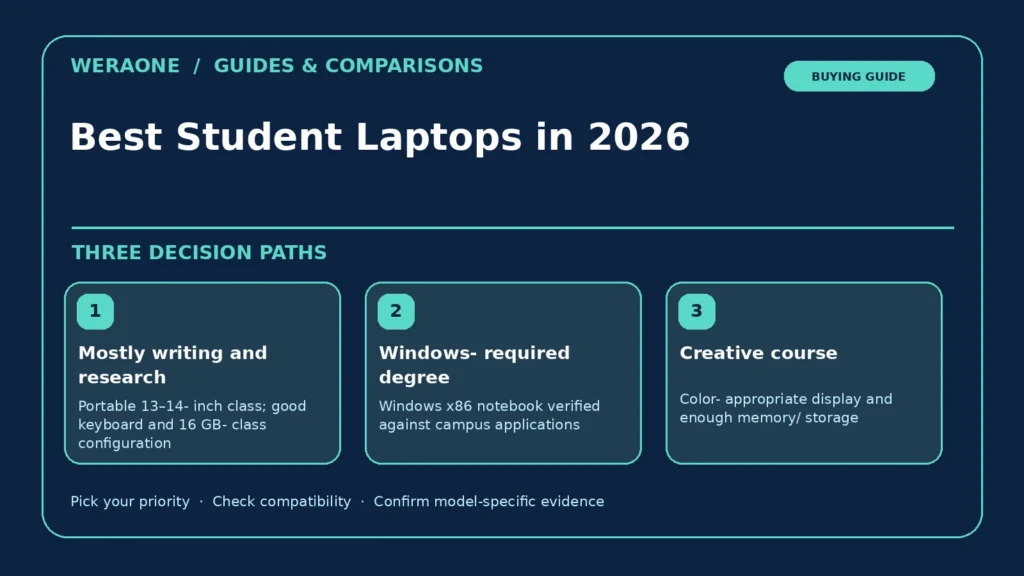
| Priority / scenario | Practical approach | Verify before purchase |
|---|---|---|
| Mostly writing and research | Portable 13–14-inch class; good keyboard and 16 GB-class configuration | Large project libraries or creative suites may need more storage |
| Windows-required degree | Windows x86 notebook verified against campus applications | Avoid assuming ARM compatibility |
| Creative course | Color-appropriate display and enough memory/storage | GPU and software needs vary by discipline |
Make the software decision first
Ask your department whether its courses require Windows-only CAD, laboratory drivers, accounting packages, locally proctored exam software or a particular GPU. Virtualization and remote labs sometimes solve that problem, but a campus help desk—not a marketing brochure—should confirm them. For macOS buyers, note whether software is native, translated or browser-based. For Windows buyers, check ARM-versus-x86 compatibility if considering a Snapdragon laptop; the Windows logo does not guarantee that every low-level driver or anti-cheat tool works. If your major changes, flexible software support matters more than a small synthetic speed difference.
Choose memory and storage for four years
Sixteen gigabytes is a sensible planning baseline for multitasking with browser tabs, calls, research and productivity suites; demanding datasets, virtual machines or video timelines can justify more. This is editorial advice, not a promise of minimum system requirements. The 13-inch M4 MacBook Air was sold with 16 GB unified memory and options up to 32 GB according to Apple's published specifications. Check the exact order: integrated memory may not be replaceable. A 256 GB SSD can be workable with cloud storage but fills quickly with local media or large engineering tools. Record whether the SSD is replaceable and whether an external drive is acceptable for coursework.
Do the physical-campus test
A durable hinge, readable screen and comfortable keyboard become more important when moving between library, labs and lecture halls. Compare actual weights including the charger, not just thinness in product photos. Seek independent battery tests that use repeatable browsing or productivity workloads; manufacturer "up to" claims are scenario-specific. Apple quotes up to 15 hours of wireless web use for its M4 13-inch Air, which is not a guarantee for video calls, coding or high brightness. Check webcam placement, privacy shutter, Wi-Fi reception, microphone quality and fan noise in reviews. A replacement charger should be easy to obtain locally.
Ports and repair costs can reverse the value equation
One USB-C port occupied by charging and another by a hub is less convenient than it looks on a spec sheet. Check HDMI, USB-A, SD card and external monitor support against campus equipment. A cheap laptop that needs a dock, proprietary pen, adapter and extended warranty can cost more to own than a more expensive configured notebook. Ask for documented battery service pricing, keyboard replacement policy and accidental damage coverage. If you commute frequently, prioritizing repair availability in your market can be smarter than maximizing benchmark results.
Three student profiles
Writing-intensive students should prioritize display, keyboard, quiet operation and battery life. Engineering students should prioritize confirmed Windows and driver support, adequate memory, dedicated graphics where specific coursework requires them, and serviceable storage. Media students should check the color workflow, display calibration needs, application acceleration and scratch-disk requirements before chasing advertised screen resolution. For all three, buying last year's genuinely supported model at an attractive local price can outperform buying an entry specification merely because it has a newer name.
Before you pay: verification checklist
- Request your department’s tested OS and app list
- Read independent battery and keyboard evaluations
- Check local warranty and upgrade/service policies
- Add charger, dock and storage to total cost
Frequently asked questions
Is a MacBook automatically better for students?
No. It is a strong option when macOS supports the full curriculum and its port and storage limitations are acceptable.
Should I buy 8 GB of RAM?
Only after checking every required application and accepting tighter multitasking headroom; 16 GB is our general planning baseline.
Related WeraOne decision guides
- MacBook Air vs Windows Ultrabooks: The Actual Trade-Offs
- Can You Upgrade Laptop RAM or SSD? A Safe Compatibility Process
Sources and further reading
These links document the technical claims and cited independent research. Product-specific availability and prices are not verified here.
- Apple Support: MacBook Air (13-inch, M4, 2025) — Tech Specs — Specifications for the M4 Air, memory, display, battery and ports (manufacturer).
Source review date: 2026-10-23. Draft only; verify current firmware, product revisions, pricing and local availability before publication.