HDR10, Dolby Vision and DisplayHDR: What the Labels Actually Mean
Editorial guide · researched through 2026-10-23. No first-hand testing or live prices are claimed. Manufacturer specifications and independent research are distinguished below. Regional, software and…
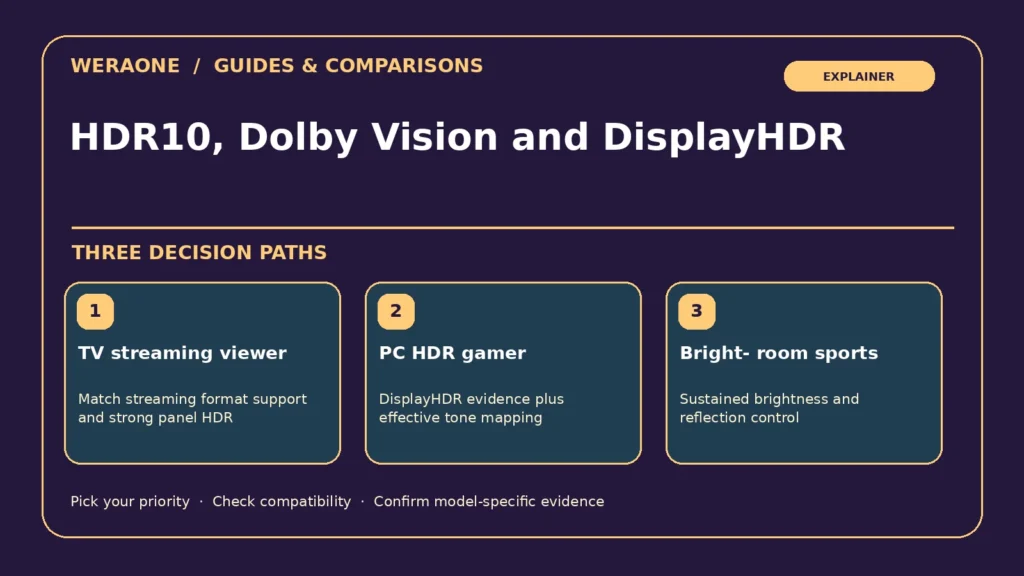
Editorial guide · researched through 2026-10-23. No first-hand testing or live prices are claimed. Manufacturer specifications and independent research are distinguished below. Regional, software and configuration differences may apply.
High dynamic range is not one plug-and-play quality level. It is a combination of content encoding, metadata, decoding, tone mapping and physical display performance. HDR10 is a widely used baseline format; Dolby Vision and HDR10+ add dynamic metadata in supported workflows. VESA DisplayHDR is instead a monitor performance-certification program, with defined tiers and True Black variants. An HDR format logo tells you a device can accept or process particular content; it does not guarantee that the panel can reproduce that content well.

Quick decision table
| Priority / scenario | Practical approach | Verify before purchase |
|---|---|---|
| TV streaming viewer | Match streaming format support and strong panel HDR | Check regional apps |
| PC HDR gamer | DisplayHDR evidence plus effective tone mapping | Check GPU/OS HDR controls |
| Bright-room sports | Sustained brightness and reflection control | Peak nits are incomplete |
Separate content formats from panel capabilities
HDR10 typically uses static metadata, while dynamic-metadata systems can guide tone mapping scene by scene or frame by frame where implemented. Device support depends on source, app, HDMI chain and region. A TV that handles Dolby Vision may not accept HDR10+; a different brand may support HDR10+ but not Dolby Vision. Playback often falls back to a common format, but behavior must be checked with the particular service and device. Do not buy based solely on a format list if the display is dim or poorly calibrated.
What makes HDR look convincing
Deep black levels, precise local contrast, effective tone mapping, wide color reproduction and useful highlight capability all contribute. OLED can achieve per-pixel black control, while full-array LCD/Mini-LED depends on a limited number of backlight zones and algorithms. In a bright room, reflection handling and sustainable brightness can dominate the perceived result. Two screens with identical claimed peak nits may render the same film differently because the measurement window, white point, heat management or tone-mapping strategy differ. Prefer independent measurements and scene comparisons, not retail demo reels.
What DisplayHDR tiers do and do not say
The Video Electronics Standards Association publishes measurable DisplayHDR certification criteria including minimum luminance and color requirements. It distinguishes general LCD-oriented tiers and True Black levels, which impose different demands on low-black performance. A product merely described as "HDR compatible" is not necessarily certified. Even a certificate should be checked against independent tests of color accuracy, motion, gamma and the actual usable HDR mode. Manufacturer "peak HDR brightness" without a test window or duration is especially difficult to compare fairly.
Gaming HDR may need extra work
Consoles and PCs send HDR signals through a chain of settings. Incorrect black levels, duplicate tone mapping or mismatched RGB/video ranges can produce washed-out images or crushed shadows. If a game exposes HDR calibration, follow the console and display guidance rather than copying a stranger's numeric slider positions. Check whether enabling VRR or a high refresh rate changes local dimming, color depth or input behavior on the exact model. HDMI cable and port compatibility may matter at high-bandwidth modes even when ordinary HDR movies play correctly.
How to shop and troubleshoot
For a TV, prioritize independent HDR scene measurements and the formats used by your actual streaming services and players. For a monitor, check verified VESA certification and whether the panel can sustain brightness while preserving blacks and color. At home, test several real HDR titles in both dark and bright conditions, verify the output mode from your source and compare SDR without assuming the brighter presentation is automatically more accurate. Ignore universal promises that one format or certification ensures the best picture across all devices.
Before you pay: verification checklist
- List your actual HDR streaming and disc formats
- Find the certified VESA tier if any
- Compare independent HDR brightness methodologies
- Test tone-mapping and game mode
Frequently asked questions
Is DisplayHDR 400 the same as HDR10?
No. HDR10 is a content format; DisplayHDR tiers describe certification criteria for display performance.
Will Dolby Vision fix a poor display?
No. Format decoding cannot create physical brightness or contrast the panel cannot deliver.
Related WeraOne decision guides
Sources and further reading
These links document the technical claims and cited independent research. Product-specific availability and prices are not verified here.
- VESA DisplayHDR: Performance Criteria CTS 1.2 — DisplayHDR and True Black tier criteria (standards).
- RTINGS: Mini LED vs OLED TVs — Comparative dark-scene, motion, glare and longevity findings (independent).
Source review date: 2026-10-23. Draft only; verify current firmware, product revisions, pricing and local availability before publication.